Browse the web without an account
Introduction
I have often noticed, when visiting certain profiles on X (formerly called Twitter) that most of them were terribly empty and that access to comments also seemed impossible without creating an account. I later understood that, without authentication, access to information there is heavily restricted.
X is only one example among other platforms, though, and I find it unreasonable to have to create an account just to view information that is meant for the public. Workarounds are becoming increasingly convoluted, censorship is gaining ground, but in this note I will do my best to share what is still possible without an account.
X (formerly Twitter)
To access X content without an account, you can use twitterviewer.net, an alternative interface that lets you view posts without signing up.
A simple way to “convert” an X page into a twitterviewer.net page is to add twitterviewer.net to the original URL.
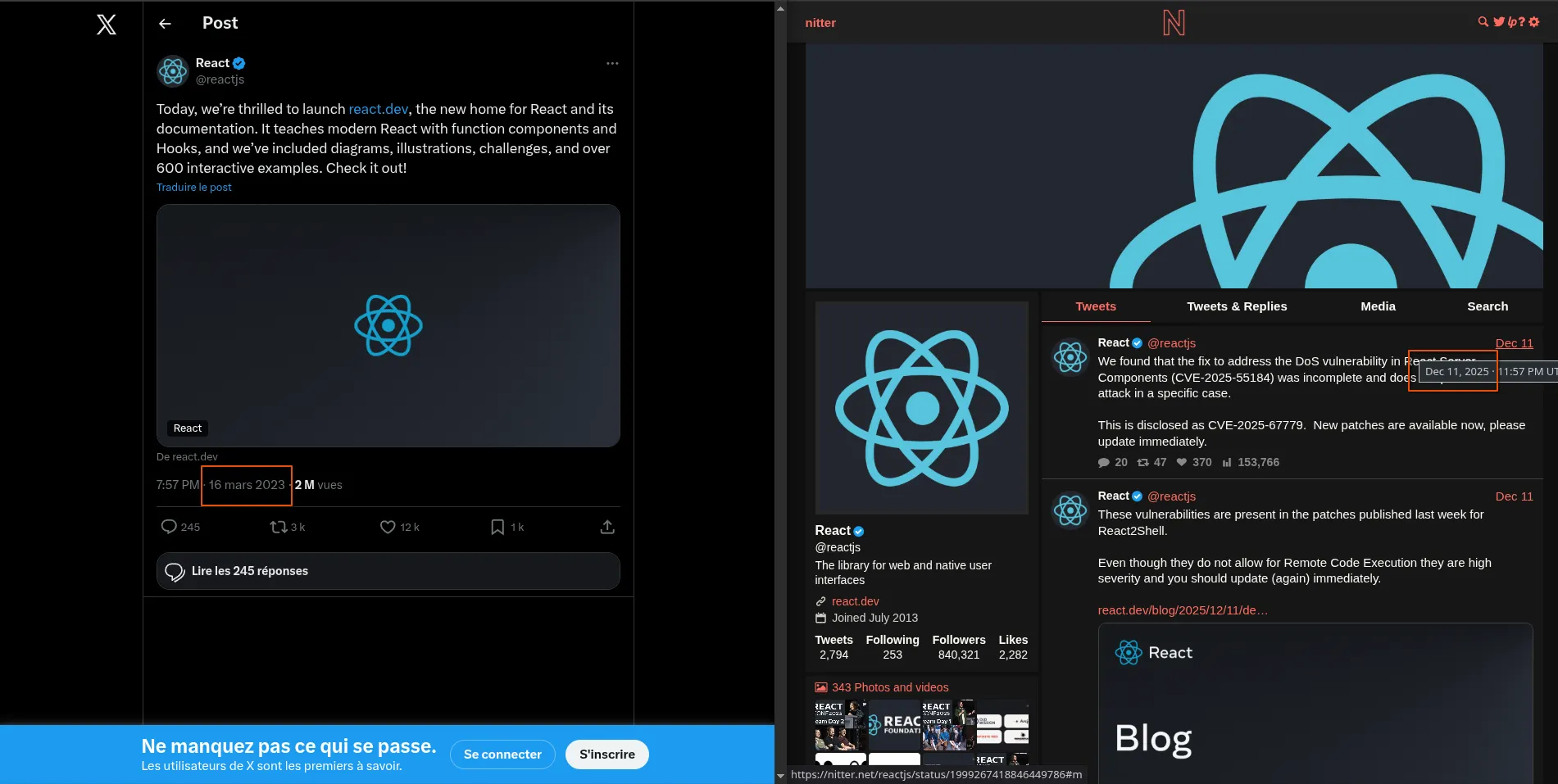
For example, if you want to see the comments on this post:
https://x.com/reactjs/status/1636441676506906626
you can rewrite the URL as follows:
https://twitterviewer.net/reactjs/status/1636441676506906626
I deliberately chose React as an example because without an account, you might think nothing noteworthy has happened since 2023, whereas in December 2025 critical security vulnerabilities were identified. So use twitterviewer.net by default if you do not have an X account.
National blocks
Depending on where you are, some sites may be completely blocked or require you to enter sensitive personal information to access them.
A common solution is to use a VPN [Virtual Private Network], but these are often expensive and their data policies are not always transparent.
With Tor, on the other hand, you can get comparable results for free and with a higher level of anonymization.

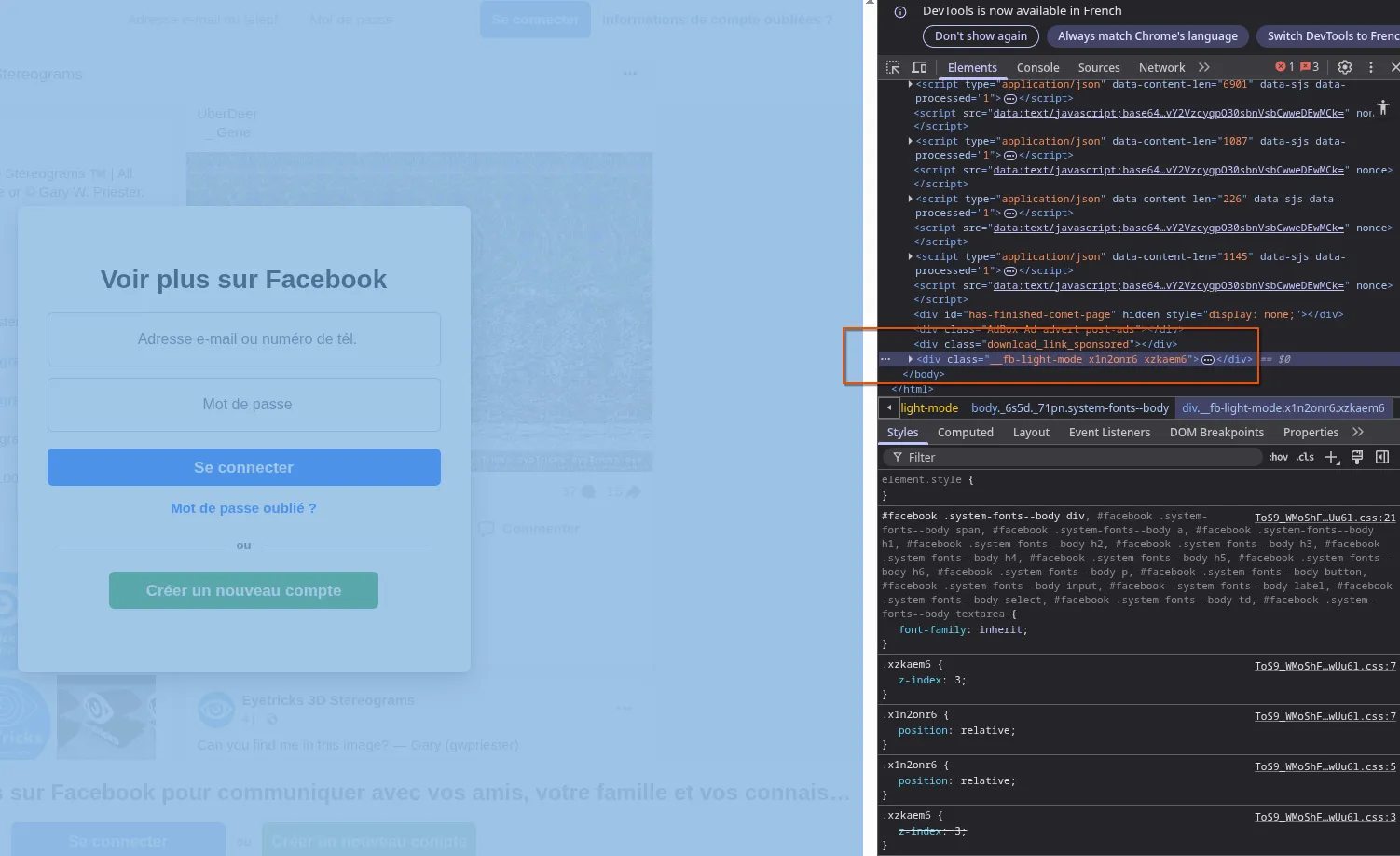
Unfortunately, I have not yet found any solution for viewing the content of public pages on Facebook. The best you can do to scrape a few more posts is to bring out your DevTools and remove the login modal:
Instagram is also very restrictive. There does not seem to be a solid tool for viewing posts, but here are a few leads or projects that might interest you:
- Bibliogram was for a while the go-to reference for viewing Instagram content, but the project was discontinued due to a lack of time on the creator’s part. That said, you can offer to help revive it if you wish.
- pixnoy.com: works well on my end, nothing to report.
- imginn.com: it seems images need to be downloaded to be viewed at their original size.
- flufi.me: I ran into “Rate limit” errors, but they clear up quickly and the service is usable.
YouTube
For now, it is still possible to browse YouTube relatively freely (some videos are subject—often inappropriately—to an age restriction, and there is currently no workaround without using a YouTube account).
If you want some of the platform’s benefits without signing up (for example saving your favorite channels), you can still use an intermediary app. I especially recommend FreeTube.
On Android, the best-known equivalent is NewPipe.
Reddit is currently the most permissive social network to use without an account. The only limitation concerns viewing age-restricted content, but a workaround is still possible.
By going through Redlib, you should be able, depending on the instance, to view restricted content. Once you have chosen your preferred instance, you can then easily replace the original post URL if you use Reddit.
An example with the redlib.catsarch.com instance and
this indecent image:
https://www.reddit.com/r/stereograms/comments/1iiriir/what_do_you_see_in_these_images_both_same_hidden/
which will (maybe?) be visible by substituting like this:
https://redlib.catsarch.com/r/stereograms/comments/1iiriir/what_do_you_see_in_these_images_both_same_hidden/
Graveyard
Some tips suggested on this page no longer work. They are listed here as an archive, as a record of a time when various workarounds still existed.
- Nitter was a very handy service
for accessing X (formerly Twitter) content via URL substitution.
For example, if you wanted to see the comments on this post:
https://x.com/reactjs/status/1636441676506906626you could rewrite the URL as follows:https://nitter.net/reactjs/status/1636441676506906626 - old.reddit.com could be used without signing in to view sensitive posts via URL substitution. Using a Reddit account has now become necessary.