Add glue to your emoticons
The problem
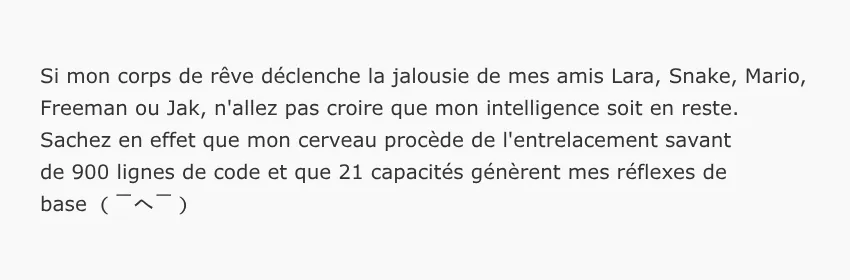
I realised with horror that the emoticons, which I enjoy using avidly, were very sensitive to line breaks and did not always display very well:

Let's take a look at how to prevent your emoticons from breaking.
The solution
The solution to avoid unsightly line breaks is... to add glue. More specifically, you need to add a special character after each of your symbols: word joiner.
To use the example from the screenshot above, the kaomoji should be created as follows to prevent line breaks:
( U+2060 - U+2060 ‸ U+2060 ლ )
There you go, thanks to this symbol, your emoticon will have a heart of steel ᕦ(⌐■_■)ᕤ
The tools
Needless to say, having to manually add this word joiner every time you need to enter an emoticon is inconvenient and mistakes can easily happen, which is why a tool to make typing easier would be welcome.
However, to my knowledge, there is none that can solve this specific problem... which is why I took the initiative and started developing one. For the moment, it is in the form of a website, but once the structure is in place, I also plan to create a browser extension.
Bonus: improve the display of emoticons on your website
Do you have a website or blog? Perfect! You can improve the display of your emoticons with a very simple CSS trick: just add this property to your style sheet.
p { text-wrap: pretty;}
The pretty property added to text-wrap allows you to better balance
orphans , i.e. single words or emoticons that are abandoned
and desperate on a line. Example without using text-wrap:
pretty:
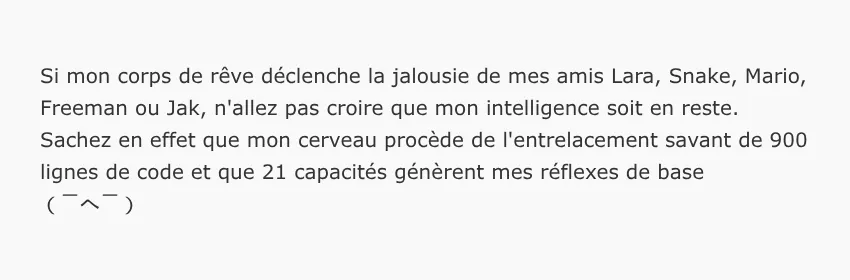
Example with text-wrap: pretty: